Summary
Business calendars shipped across Canada as Regular Parcels need to go out by December 10 to arrive before Christmas. An 11” x 8.5" calendar can also travel as oversize Lettermail, which pushes the national send-by date to December 18. A full-page photo on that size needs at least 3375 x 2625 pixels to print sharp. Saddle stitching is the most common binding, and Wire-O lets pages turn all the way over. Little Rock® prints wall calendars with no minimums.
| Time to Read | ~6 minutes |
| What You’ll Learn | - Whether Saddle Stitch or Wire-O binding works best for your needs - Photo pixel sizes by calendar size2026 Canada Post send-by dates - Which calendars can mail as Lettermail, and which need to be sent as parcels |
| Next Steps | - Pick a size and binding - Check your photos against the pixel table - Create your calendars in Canva with our free template - Order one free proof |
Custom calendars are one of the best client gifts a Canadian business can send, as long as they show up before the new year. Canada Post's send-by date for Regular Parcels across Canada is December 10, and that catches a lot of businesses off guard.
A calendar that arrives in mid-January has already lost two weeks, and there's a good chance someone else's branded calendar is hanging in its spot by then. A calendar that arrives on time and earns its spot starts with the right size and binding, print-ready photos, and an order placed early enough to beat the holiday mail rush. When you're ready, order custom calendars with no minimums.
Choosing a Wall Calendar Format for Your Business
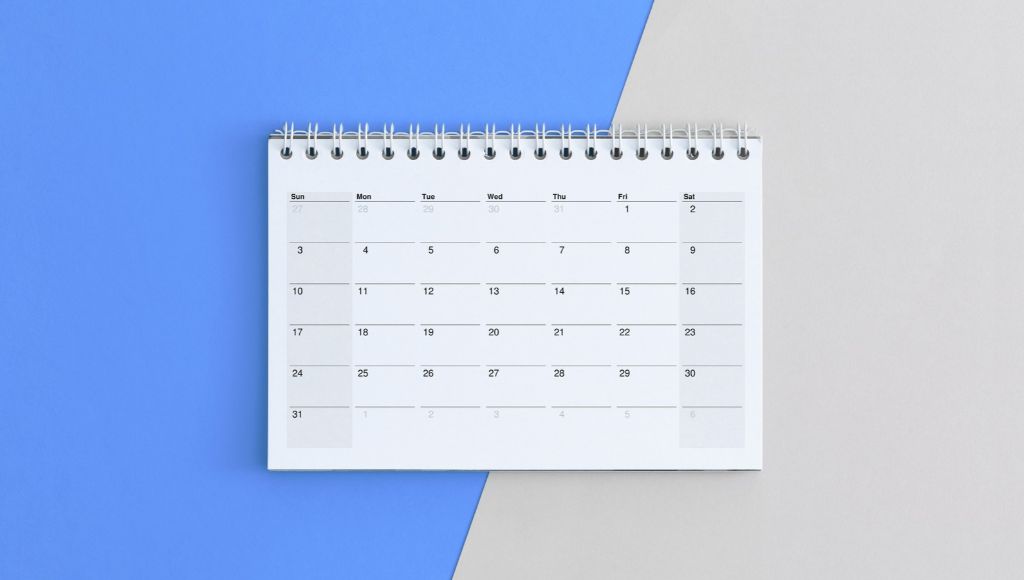
Size is the first call to make, since your binding and paper options follow from it. It also affects mailing: an 11” x 8.5" calendar fits in a Lettermail envelope, while an 11” x 11" square has to go as a parcel.
People hang on to calendars longer than most promo items. In ASI’s 2023 Ad Impressions Study, 62% of U.S. consumers said they’d keep one for a year or more, so a well-made calendar can stay on a client’s wall until next December.
Little Rock® prints wall calendars from 6 to 11 inches wide and 6 to 11 inches high. The free Canva templates come in square and 11x8.5". An 11x8.5" calendar opens to 11x17" on the wall, so you get a big photo on top and a date grid with room to write underneath.
Saddle Stitch or Wire-O
| Binding | How It Hangs | Good Fit For |
| Saddle Stitched | Stapled at the fold, with a hole drilled for hanging | The most common choice, and a solid pick for client and community giveaways |
| Wire-O | Black metal wire, with a hole drilled at the top | Calendars that get flipped and written on a lot, since the pages turn all the way over |
| Wire-O with Hanging Hook | Twin loop wire with a built-in centre hanger | Gift calendars where you want a more finished look |
Calendars come in 26, 28, or 32 pages, or 13 to 15 single-sided pages for the hanging hook version.
Paper for Covers and Inside Pages
For the inside pages, 80# Text is the most popular pick. It's glossy, so photos come out bright and rich. 100# Text is the heavier glossy upgrade, and 70# and 100# Uncoated Text give you a matte, natural feel. Covers come in 8PT, 11PT, or 13PT Uncoated.
One practical tip: people write on calendars. Pens and pencils take to uncoated stock more easily than gloss, so if your clients are the type to fill in every appointment, uncoated inside pages are worth a look.
Browse the free Canva calendar templates to see both sizes before you decide.
Prepping Photos and Pages in Canva

Each photo hangs at full size for a whole month, so a blurry one gets noticed. Most calendar print problems come down to photos that are too small for the page.
How Many Pixels Each Photo Needs
For a sharp print, a full-page photo needs about 300 pixels per inch at its finished size, plus ⅛" of bleed on each edge. Here's what that works out to:
| Finished Size | Minimum Photo Size (pixels) |
| 11” x 8.5" (template) | 3375 x 2625 |
| 11” x 11" (largest) | 3375 x 3375 |
| 8” x 8" | 2475 x 2475 |
| 6” x 6" (smallest) | 1875 x 1875 |
For any other size, add 0.25 to each measurement in inches, then multiply by 300.
Many phones save photos at 12 megapixels (4032 x 3024 pixels), which covers an 11” x 8.5" page. The trouble usually starts when you’re trying to use older photos, screenshots, or images pulled from social media, because they get compressed and shrunk.
If a photo comes up short, an AI upscaling tool can add pixels, but zoom in to full size and check faces and text before you use it.
Pick 12 Photos That Work as a Set
- Stick to one orientation: Each Canva file uses one page orientation, so choose landscape or portrait photos for the whole year.
- Match photos to the months: Snow in January and patios in July feel right on the wall. But if you really want your company to stand out, local spots and your own team or projects beat stock photos every time.
- Leave the edges clear. Keep faces, logos, and text away from the top edge (where the binding and hanging hole sit) and back from the trim.
- Save the last page for you. Put your logo, contact details, and a QR code there. How to Print QR Codes covers sizing and testing.
Update the Holidays for Your Province
The templates come with Alberta holidays filled in. If your clients are in another province, swap in its stat holidays for 2027. Then add the dates that matter to your business, like sales, events, or your company anniversary. Every Date You Need to Include in a Custom Calendar lists national, provincial, and cultural dates across Canada.
Export a Print-Ready File
Download your calendar as a PDF Print file, tick "Crop marks and bleed," and choose CMYK colour if it's offered. Little Rock® also asks for outlined fonts. What Is a Print-Ready PDF walks through each setting.
[VIDEO: embed calendar explainer once produced.]
When to Order Custom Calendars for Christmas

Find your send-by date below, then work backward, leaving time for a proof, printing, and packing.
| How It’s Going Out | Local | Regional | National |
| Lettermail in an envelope | December 22 | December 21 | December 18 |
| Regular Parcel | December 21 | December 16 | December 10 |
| Expediated Parcel | December 22 | December 18 | December 14 |
| Xpresspost | December 23 | December 22 | December 22 |
| Priority | December 23 | December 23 | December 23 |
| Order From Little Rock® By | December 15th | ||
Canada Post's dates are between major urban centres, so add a few days for rural addresses. If you're picking up in Calgary or handing calendars out in person, you only need to plan around printing time.
Mailing Calendars as Lettermail
Canada Post's oversize Lettermail goes up to 380 x 270 x 20 mm and 500 g. Anything bigger has to ship as a parcel, which means an earlier send-by date.
- An 11” x 8.5" calendar (279 x 216 mm) fits, as long as the envelope stays under the limits.
- An 11” x 11" square is 279 mm on both sides, which is too wide, so it ships as a parcel.
- Weigh your proof copy in its envelope before you buy postage for the whole list.
Build in a Buffer
- Proof first: Order one copy with the code FREEPROOF. Calgary pickup takes 1 to 5 days, and delivery across Canada takes 2 to 7 days.
- Plan for packing: Signing notes, stuffing envelopes, and printing labels can take a few days for a longer client list.
- Watch the calendar: Christmas Day falls on a Friday this year, and plenty of offices close early that week.
If you're sending Christmas cards from your business, too, Custom Christmas Cards for Businesses in Canada has the order-by dates.
Get Your Calendars on the Wall Before January
Pick your send-by date, count back, and start with one free proof using the code FREEPROOF. For a proper holiday gift, tuck a custom Christmas card in with each calendar.
Frequently Asked Questions About Custom Calendars
Is there a minimum order for custom calendars?
No. Little Rock® prints any number of calendars, from a single copy to a full run, and the price per calendar drops as quantity goes up.
Can Little Rock® design my calendar?
Little Rock® doesn't offer design services, but the Canva calendar templates are free. They're already set up with bleed and monthly layouts, so you only need a free Canva account.
Can I get a sample before ordering in bulk?
Yes. Order one calendar with the code FREEPROOF for a no-charge proof. To compare stocks first, request a free paper sample kit, which ships free anywhere in Canada.
Can I print different calendar designs in one order?
Yes, as long as every design is the same size and you order them at the same time. Bundling designs gets you a better rate, which is handy if you want to print a separate calendar for each location or client group.
Can my calendar start in a month other than January?
No. Little Rock®'s calendars always start in January, so a calendar ordered now covers 2027.