Sticker Sheets
From $0.00
Create custom sticker sheets to boost your business branding, promote your events, or complete your personal projects! Our high-quality stickers come with quick turnaround times and reliable shipping across Canada. And they’re all printed locally at our Calgary shop.
Sticker Sheets


Why Our Sticker Sheets Are Different
Customized to Your Needs
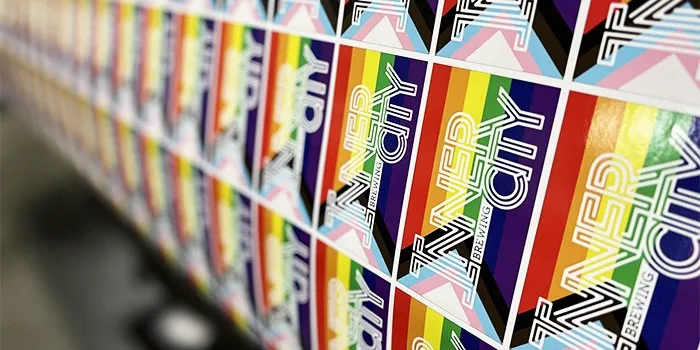
Little Rock Printing has no minimum or maximum orders—and we let you put as many sticker designs as you want on the same sheet, as long as they fit. With three different kinds of high-quality vinyl to print on, that means you get unbeatable control over the end result.

Printed On Your Timeline
Large orders on short notice? Not a problem—we guarantee our timelines. Just choose a delivery date of one to five business days, and we’ll have your sticker sheets ready on time. We promise.
Frequently Asked Questions about Sticker Sheets
Are your sticker sheets printed locally?
Yes—we print everything on-site in our Calgary shop, which means you’ll never deal with quality control issues from outsourcing. Our pros do it all ourselves—including answering questions about your order and taking your feedback to make sure you get the best possible product.
How do I get colour sticker sheets printed?
Colour sticker sheets are easy for us—just submit your design in CMYK and we’ll make sure it comes out as vibrant as can be. Check out our guide on colour printing here to learn more:
RGB vs. CMYK Colours: Why It Matters for Printing & How to Choose in Canva
Can’t I just print sticker sheets on a Cricut machine?
No one ever said you can’t DIY your stickers if you really want to—but the difference professionals make is obvious. Not only can Little Rock print your design on high-quality, professional-grade vinyl, but we also have decades of experience that allows us to print as many sticker sheets as you need while precisely following the design you’ve provided. That means fewer mistakes, less work, and better looking stickers at the end of the day.
How do I print different stickers on the same sheet?
This part’s easy—just make sure all your designs fit on the canvas within the margins. We also suggest leaving 0.25 inches of space around each sticker on the sheet. These will be measured from the sticker cut lines (the white spaces around the artwork) instead of the actual artwork itself. Then save the sheet as a .pdf when all the sticker designs you want have been added.
If you would prefer to make things even easier, you can also just send us a .zip file with the different sticker designs you want inside. We recommend formatting each individual sticker file in a vector format like .svg or .eps for best results—if that doesn’t work, save it as a .png or .tiff file with a resolution of at least 300 PPI.
You can learn more about how to format an image for printing in this guide:
Creating High-Quality Print Files
Once you’ve done all that, send your design files to hello@littlerockprinting.com. We’ll take care of the rest.
Can I Set Up An Account with Little Rock Printing?
We’re always happy to set up accounts for new or returning customers. You can either pay as you go online, have us keep a card on file, or apply for credit by requesting a credit application from hello@littlerockprinting.com.
Can I order proofs for my sticker sheet?
Of course! We don’t have a minimum order size, so you can just place an order for a single copy and make sure it’s what you want before ordering the rest! We also offer a free hard-copy proof at checkout for all orders over $100.
How to Use Canva to Create Print Ready PDF Files
In this concise 5-minute video, we'll walk you through the simple steps to export your Canva designs into high-quality PDFs, perfect for printing. Whether you're a beginner or a seasoned Canva user, this guide is designed to help you get your designs print-ready in no time!
How to Resize a Photo for Printing in Canva
Learn how to open a custom size file, upload your photo, and fill the background to ensure it fits the desired dimensions.
How to Design Greeting Cards in Canva
Learn how to design a four-page folded card, with each page serving a specific purpose. You'll learn how to choose the right size, create custom designs, and add elements like images, text, and logos.
Order a Free Paper Sample Kit
Want to learn more about our Paper and Media, click below to add a FREE SAMPLE KIT to your cart today. Simply fill out the form here and we will ship you a FREE KIT.
If you want you can always come to Curbside Pickup and grab one as well.