

Summary:
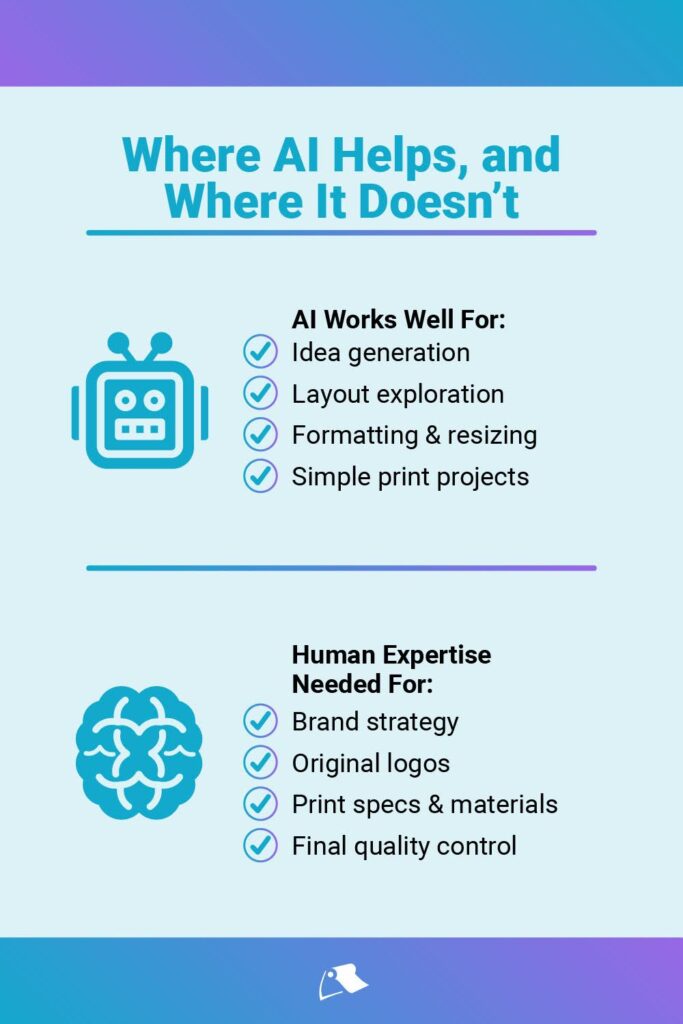
Artificial intelligence can speed up and support the design process for logos and print projects, but it works best as a helper, not a decision-maker. AI is useful for idea generation, layout exploration, formatting, and resizing, especially for simple print materials. However, relying on AI alone, skipping professional review, or ignoring print-specific requirements can lead to costly mistakes. Knowing where AI adds value and where human expertise matters most helps ensure better print results. Our Little Rock experts can provide product recommendations and help bring your print designs to life.
Read More:
- How Will AI Change the Print Industry in 2025 & Beyond?
- What is a Print-Ready PDF (& How to Prepare It in Canva)
Updated December 2025
| Time to Read |
|
| What You’ll Learn |
|
| Next Steps |
|
Artificial intelligence (AI) has rapidly transformed the design industry, offering creative professionals and business owners a range of powerful tools to speed up and enhance their design process. From instant layout suggestions to colour palette recommendations, AI can be an incredible asset—when used correctly.
Relying too heavily on AI or using it without a basic understanding of its limitations can backfire, especially when working on something as essential as your brand’s logo or important print materials. Our Little Rock Printing experts take you through ten essential do’s and don’ts to help guide your approach to using AI for your next print project.
See Also:

Do: Use AI Tools for Idea Generation
One of the best uses of AI in design is brainstorming. Platforms like Adobe Firefly, Looka and Canva offer intelligent suggestions for layout, colour combinations, fonts and even taglines.
Whether you're designing a logo or creating a print product, AI can help you explore directions you might not have considered. For instance, AI can suggest complementary colours that align with your brand or show different ways to arrange visual elements for balance and clarity.
Pro tip: Start with a rough concept and use AI to quickly work its magic. Use what inspires you—not what’s handed to you by default.
Don’t: Rely on AI Alone to Create a Logo
Your logo is more than just a pretty graphic; it's the face of your brand and can help communicate your mission, values and identity. A truly effective logo requires strategic thinking, market research and thoughtful refinement—something only humans can provide.
Since AI lacks human intuition, it won’t be able to fully understand the nuances of your brand’s story and essence. Plus, many AI-generated logos tend to be generic, derivative or visually disconnected.
Pro tip: Use AI for initial ideas, but consult a professional designer to craft a logo that’s truly yours.

Do: Experiment With AI Features in Tools Like Canva
If you’ve explored our website, you know we’re big fans of Canva—we’ve used the design platform to build templates of some of our most popular print products. Canva now offers robust AI features that allow users to remove backgrounds, suggest templates and even auto-adjust elements for balanced spacing. These features can be incredibly useful for small print projects like business cards or flyers.
By using AI tools for layout and formatting, you can quickly create professional-looking, print-ready designs—even if you’re not a trained designer.
Pro tip: Take time to explore these features—they’re designed to save you time and reduce repetitive tasks.
Don’t: Skip Professional Review
Even the most advanced AI design tools can make technical mistakes. From misaligned margins to improper bleed settings or low-resolution images, these small errors can cause big problems when your designs go to print.
A professional designer or print expert should catch these issues and ensure your file meets industry standards before it goes to press.
Pro tip: Always request a pre-print proof from your printer and have a trained eye review your design files. At Little Rock, we offer a free proof of your print design. Simply use the code “FREEPROOF” at checkout.
Do: Use AI to Create Multiple Design Variations
One of AI’s strengths is generating quick variations. If you're not sure which design route to take, AI can give you several options within minutes. This is especially helpful during the brainstorming or early concept phases.
You can take the best elements from several AI-generated versions and work with a professional designer to refine and unify them into a polished final product.
Pro tip: Save multiple drafts—sometimes elements from a "rejected" concept can inspire your final direction.
Don’t: Trust “One-Click” Logo Generators
If you see a service promising instant, one-click logo solutions, consider it a red flag. While tempting, these tools often produce low-quality, uninspired designs with limited customization. Worse, they may use stock elements that other businesses have already adopted.
Your logo deserves more care and originality. Plus, a poorly-designed logo can harm your credibility and make your brand appear unprofessional.
Pro tip: If you do use a logo generator, use it only as a starting point—not the final product.

Do: Let AI Handle Time-Consuming Formatting Tasks
AI excels at handling repetitive tasks like resizing your design for different materials (postcards, posters, social media, etc.) or converting formats (PDF, PNG and other print-ready files).
This automation saves hours of manual adjustments and reduces the chance of human error when preparing your files for print.
Pro tip: Always double-check AI outputs to make sure fonts, aspect ratios and resolution haven’t been altered.
Don’t: Assume AI Knows Print-Specific Details
AI tools are great at generating digital layouts but often lack knowledge of specific print production requirements like paper types, bleeds or trim areas. These details can significantly affect the final output. This is another reason why human experts are better at bringing your digital designs to life through print.
Pro tip: Always confirm the file format, colour profile (CMYK vs RGB) and other requirements with your printing partner before finalizing your project.

Do: Use AI for Simpler Print Projects
For straightforward projects like postcards, flyers or lawn signs, AI is a great companion. These typically involve simple layouts and messaging and AI can help you produce eye-catching, on-brand visuals quickly. Just be sure you’re starting with a solid template and tweaking it to reflect your brand’s identity.
Pro tip: Stick with reputable design platforms with built-in print presets to minimize issues during production.
Don’t: Forget the Value of a Trusted Printing Partner
No matter how polished your digital design looks, your print job can fall flat without the expertise of a professional printer. Things like ink absorption, paper texture and finish coatings are all critical.
Partnering with a trusted printer, like Little Rock, ensures that your final products meet your expectations and showcase your brand in the best light.
Pro tip: Send your designs early and ask for feedback—printers often catch issues that designers miss.
Lean on the Expertise of Little Rock Printing
AI is an incredibly useful tool in the designer’s toolbox—but it’s not a replacement for professional expertise. Think of it as your creative assistant, not your creative director. By combining the efficiency and speed of AI with the skill and insight of human professionals, you’ll get the best of both worlds: innovative ideas and high-quality results.
Need help bringing your print designs to life? Our Little Rock Printing experts can offer product recommendations and answer any questions about our services. Contact us today to get started.


